Recording monthly supervisory meetings
All Postgraduate Taught (PGT) students who are undertaking a dissertation are expected to meet with their supervisor on a regular basis, and to record this meeting on Co-Tutor.
The system will:
- Allow you to keep track of meeting notes, progress and actions, as your meeting records will remain on Co-Tutor for you to refer to throughout your project.
- Help you to schedule and record your monthly meetings in a timely manner as you will also receive automated prompts and reminders by email.
- Give your supervisors the functionality to provide additional context and enhance your meeting records with their own reflections (in a transparent & easy-to-record system).
How to record your meeting on Co-Tutor
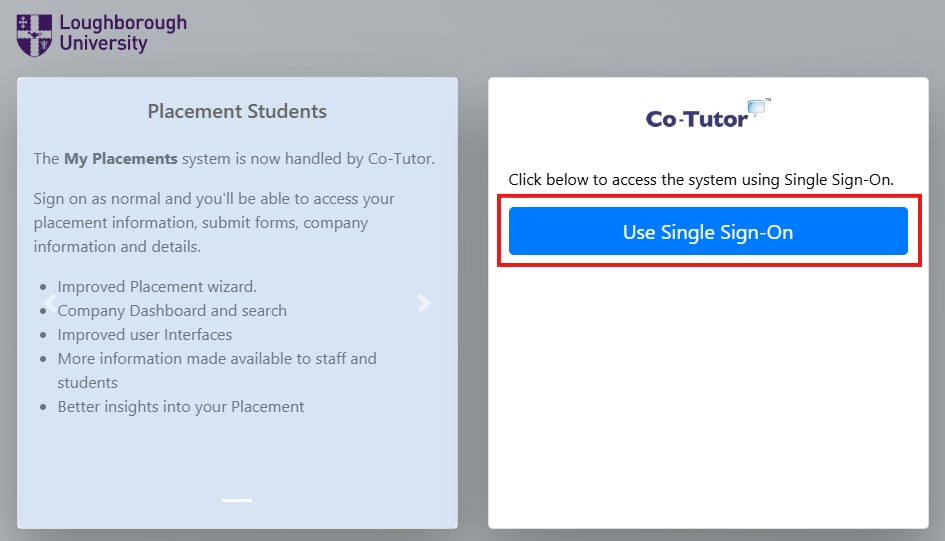
2. Your Co-Tutor homepage
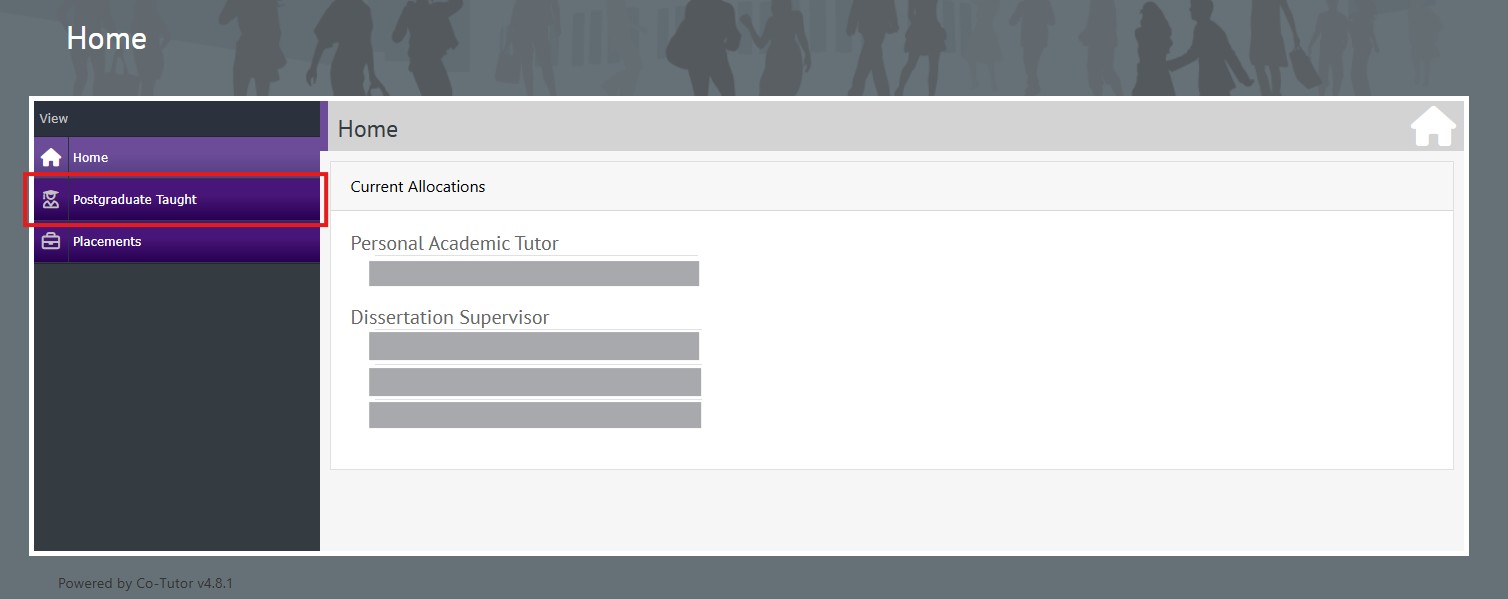
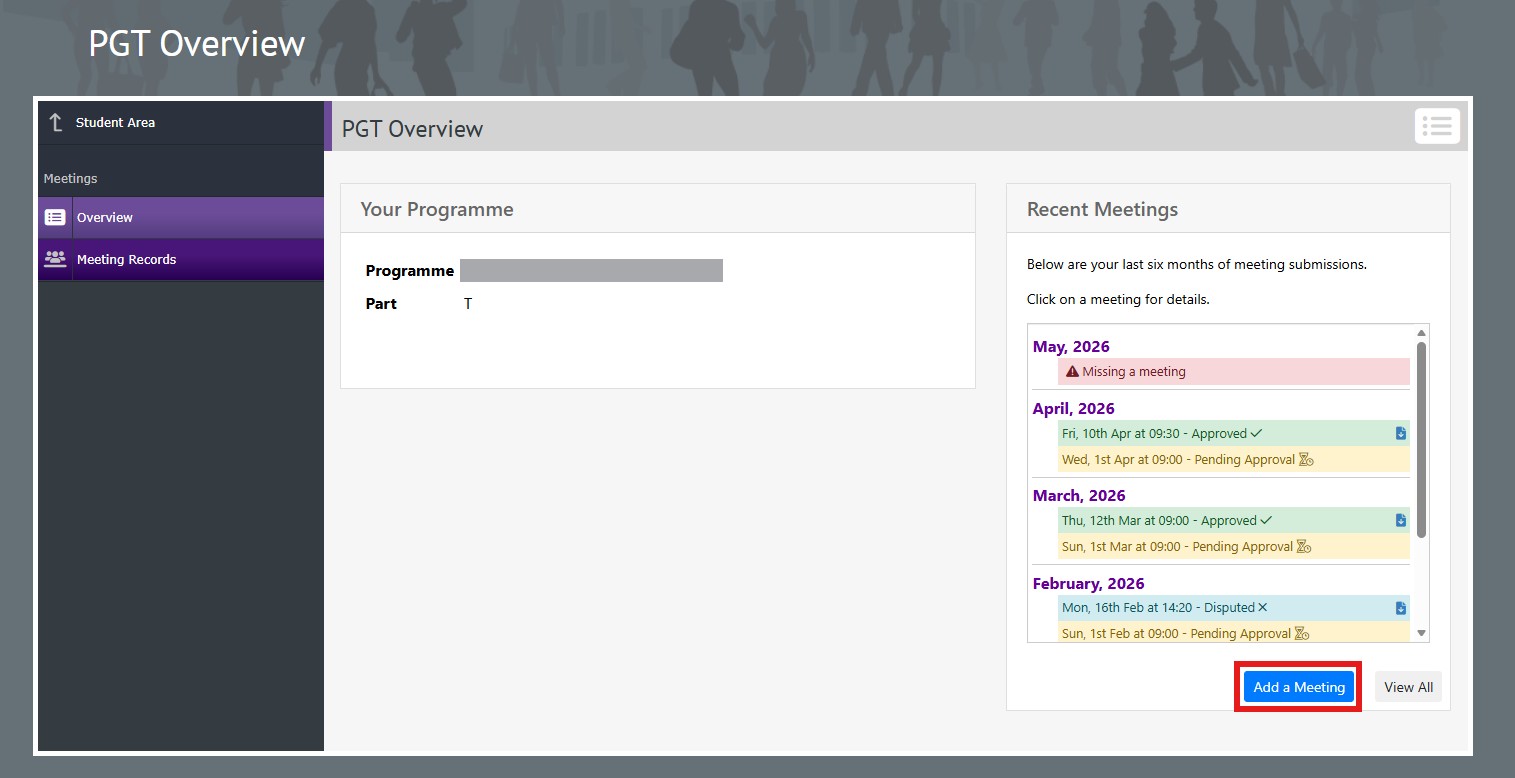
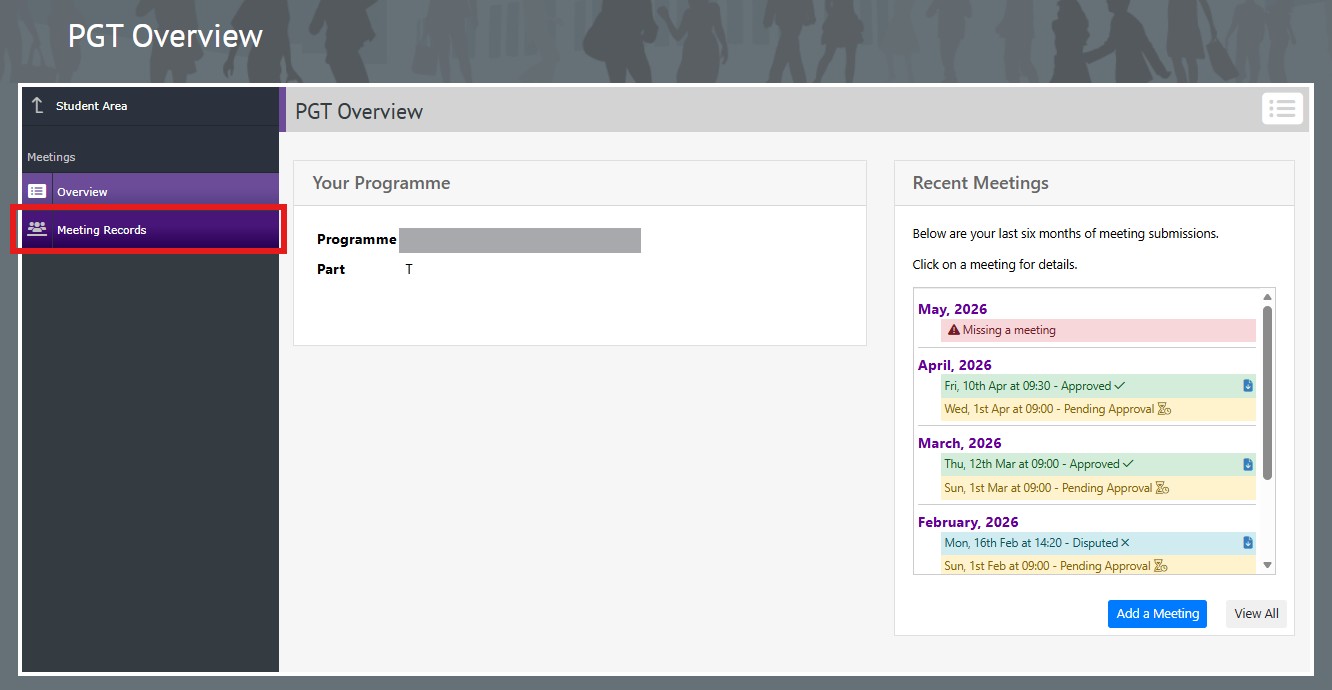
Visit the ‘Postgraduate Taught’ section. On your ‘Overview’ page you will be able to view your programme details, supervisors and recent meetings. To record a new supervisory meeting click the blue ‘Add a Meeting’ button.
3. Meeting date and attendees
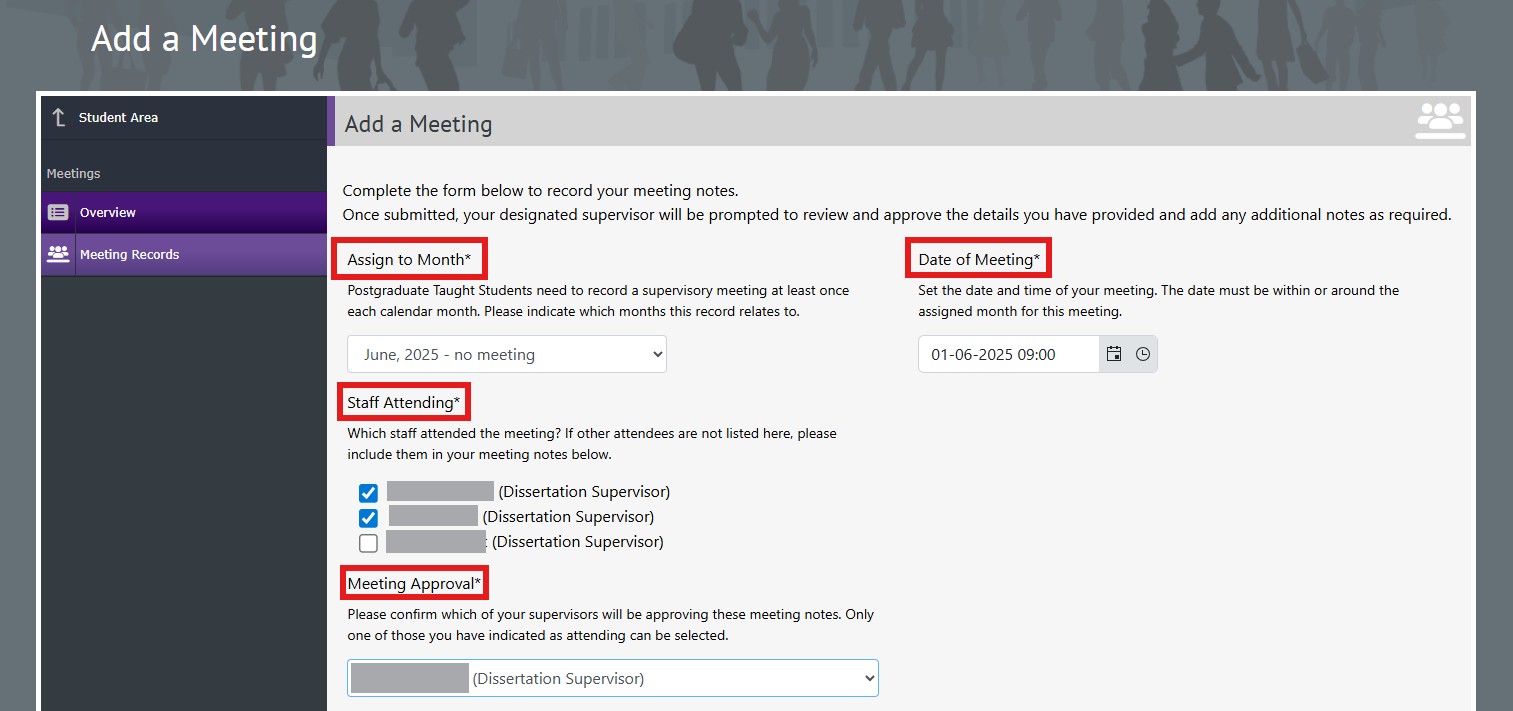
Please indicate:
- The calendar month this supervisory meeting relates to;
- The date and time that the meeting took place;
- Which staff attended the meeting;
- Which of your supervisors will be approving your meeting notes once submitted.
4. Meeting details
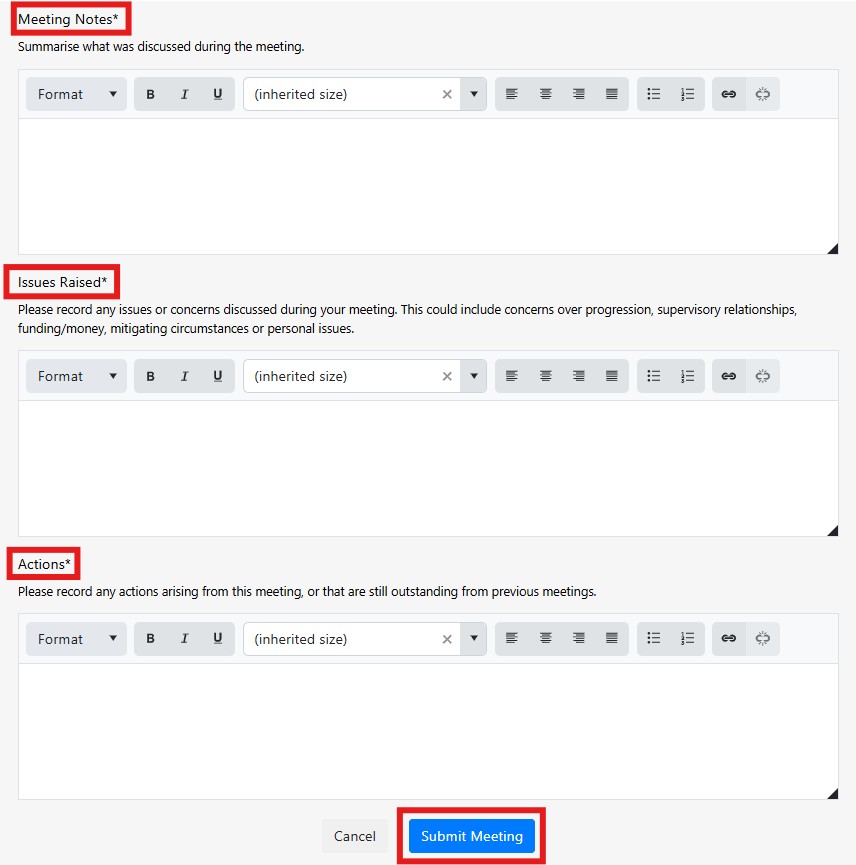
You will have the opportunity to detail what was discussed during your meeting, any issues or concerns discussed and actions arising from this meeting or that are still outstanding from previous meetings. All sections marked with a * must be completed.
5.Submit your meeting record
Once you are ready click the blue 'Submit Meeting' button. The Supervisor who you have chosen to approve your meeting notes will automatically receive an email advising that your meeting record is available to view and approve.
Once your Supervisor has reviewed your meeting notes, you automatically receive an email advising you of any updates and any additional comments added by your Supervisor.
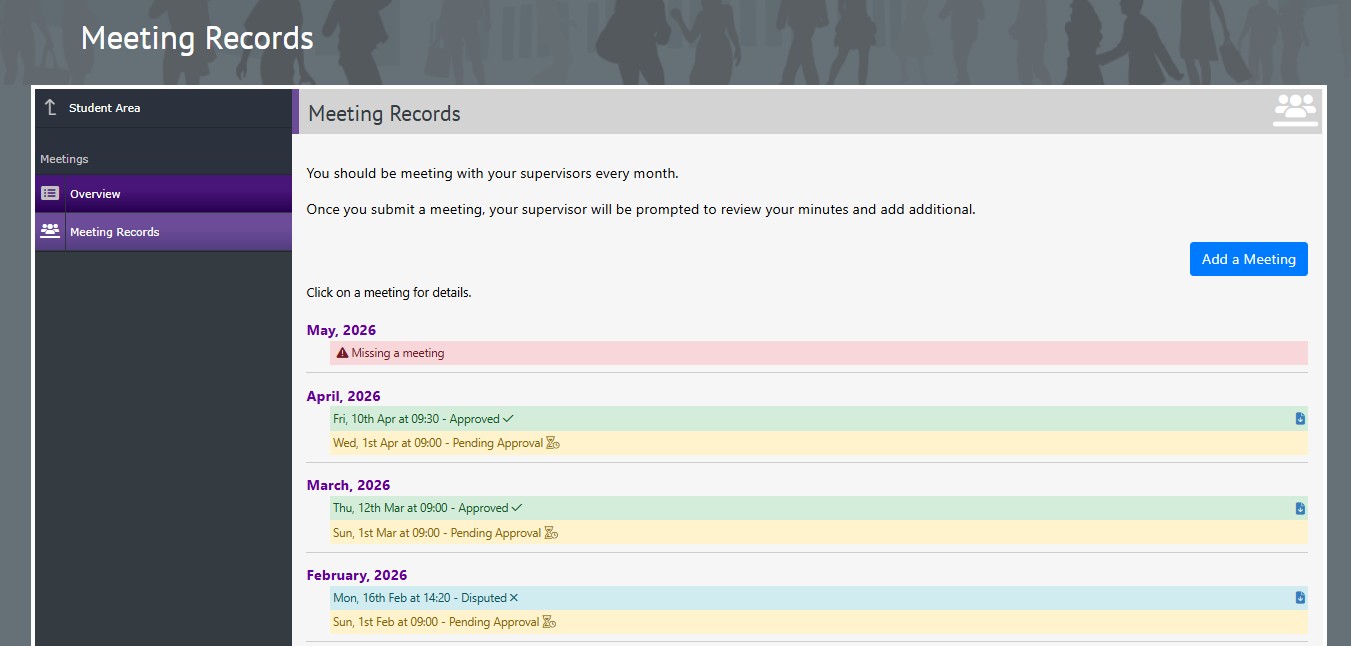
You are able to review all of your supervisory meeting records by logging into Co-Tutor and reviewing your ‘Meeting Log’ within your ‘Meeting Records’ section.
Check out the Attendance and Engagement Policy for more information on supervisory meetings.