Turn Off Auto-Complete in Outlook
Turning off Auto-Complete in Outlook Mail helps prevent sending emails to the incorrect recipient and avoids accidentally disclosing confidential or personal information about others. If you frequently send emails containing sensitive information about individuals, we recommend turning off Auto-Complete.
Windows Outlook (Desktop App)
- Open Outlook
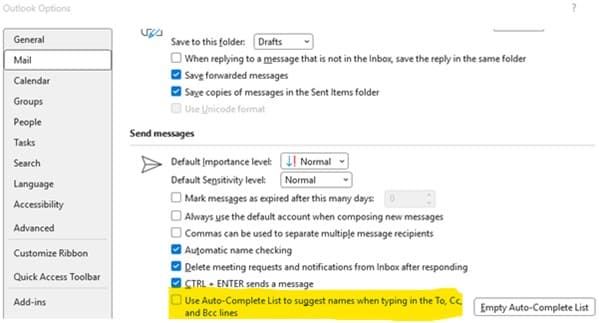
- On the File tab, select Options
- Select the Mail tab
- Under Send Messages, uncheck Use Auto-Complete List to suggest names when typing in the To, Cc, and Bcc lines, and select OK.